Grow subscribers are being added to the wrong MailerLite group

Hi! I’m having an issue with my Grow and MailerLite integration.
New subscribers are successfully being sent from Grow to MailerLite, so the integration itself is working. However, they are being added to the wrong MailerLite group.
In Grow, I have the form action set to add subscribers to my MailerLite group called “New Subscribers.” Instead, the subscribers are being added to my “All Recipes” group.
I have already confirmed that:
The subscribers are reaching MailerLite successfully.
Double opt-in is enabled and working.
The Grow form action is set to the “New Subscribers” group.
The issue is not that subscribers are missing; they are simply being assigned to the wrong group.
Could someone please help me determine why Grow is ignoring the selected MailerLite group and sending subscribers to “All Recipes” instead?
Please let me know what screenshots, form details, or account information you need from me to investigate.
Thank you!
-

Hey Tina,
If the correct group is selected in your Grow Form Action, then the issue sounds like it's on MailerLite's end. You should reach out to their support team and see if they can determine why users are being sorted into the wrong group upon import.0 -
I’m not sure this points to MailerLite, because the behavior is inconsistent.
Some subscribers from the same Grow setup are correctly being added to “New Subscribers” and entering the welcome automation, while others are being sent directly to “All Recipes” and never enter that automation.
I also completely deleted the Grow group assignment, saved it, then re-added “New Subscribers” and saved again yesterday. When I checked today, the issue is still happening. Here are some screenshots in case they help - basically grow form is all set up as this (going to the group ‘New subscribers):
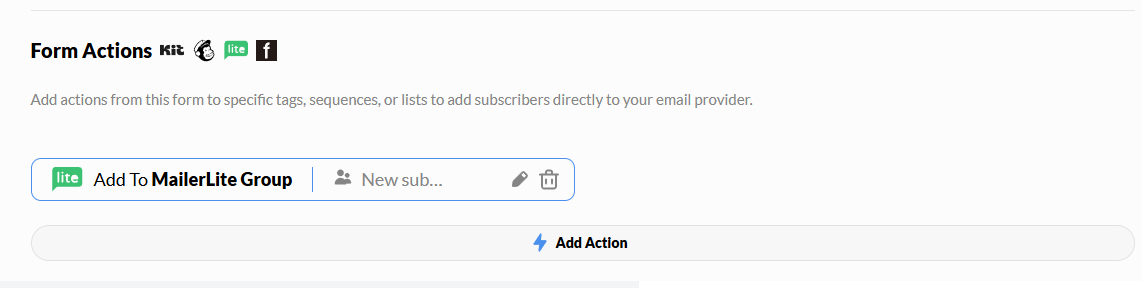
But checking just today - I see some are going to 'All Recipes' group and not ‘New Subscribers’:
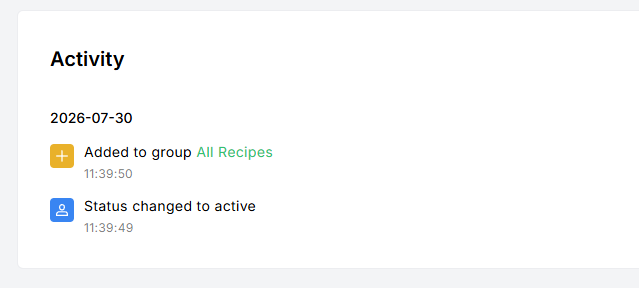
While some are going to ‘New subscribers’ (which is good because they're supposed to receive a free ebook and there is an automation set up for that):
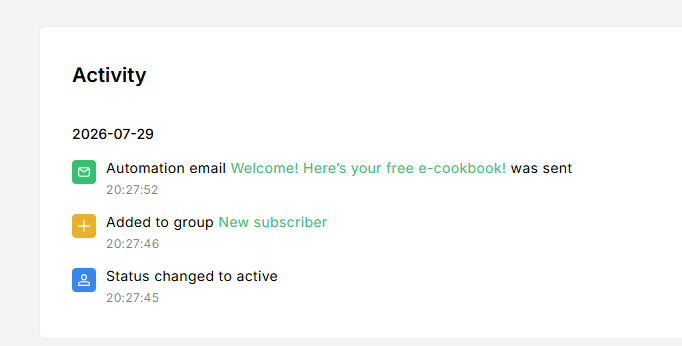
If MailerLite were simply sorting all imported subscribers incorrectly, I would expect the behavior to be consistent. Since Grow is sending some subscribers correctly and others incorrectly, could you please investigate or escalate this on your end and check which MailerLite group ID is being sent for the affected signups?
Appreciate your help!
0 -
Have you confirmed all Grow conversion tools (Subscribe forms, Subscribe Action Pack, Print Pass, Exclusive Content widgets) have the same Form Action set up? It could be a different form or Print Pass's Form Actions as assigning subscribers to another group.
1 -
Ah, that was it! I was checking all the Subscribe forms and it was set correctly to “New subscribers” but I forgot about Print Pass, and its Form Action was still set to “All Recipes.” which explains why some subscribers were going to the wrong group.
I’ve now updated Print Pass to send subscribers to “New Subscribers” as well. Also - since you mentioned it, I just enabled the Subscribe Action Pack and have that pointing to “New subscribers” as well.
Thank you for pointing me in the right direction!
0
Is your question about Journey by Mediavine?
Please sign in to leave a comment.
Comments
4 comments